Vedantu Community
Creating a platform in the app for students to interact, build a community, and enhance their learning journey
Objective
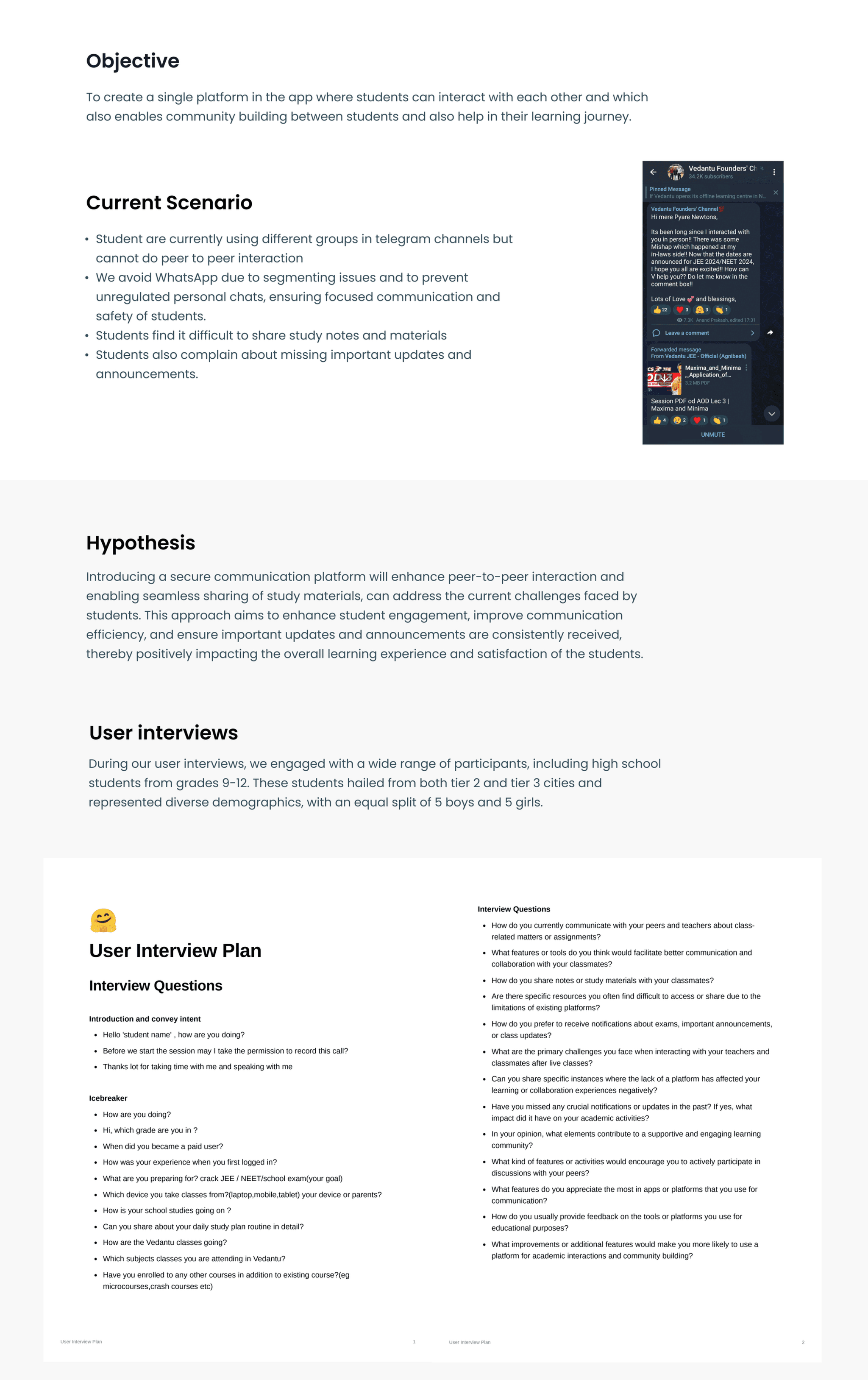
To create a single platform in the app where students can interact with each other and which also enables community building between students and also help in their learning journey.
Current Scenario
- Students are currently using different groups in telegram channels but cannot do peer to peer interaction
- We avoid WhatsApp due to segmenting issues and to prevent unregulated personal chats, ensuring focused communication and safety of students
- Students find it difficult to share study notes and materials
- Students also complain about missing important updates and announcements
Hypothesis
Introducing a secure communication platform will enhance peer-to-peer interaction and enabling seamless sharing of study materials, can address the current challenges faced by students. This approach aims to enhance student engagement, improve communication efficiency, and ensure important updates and announcements are consistently received, thereby positively impacting the overall learning experience and satisfaction of the students.
User Interviews
During our user interviews, we engaged with a wide range of participants, including high school students from grades 9-12. These students hailed from both tier 2 and tier 3 cities and represented diverse demographics, with an equal split of 8 boys and 8 girls.
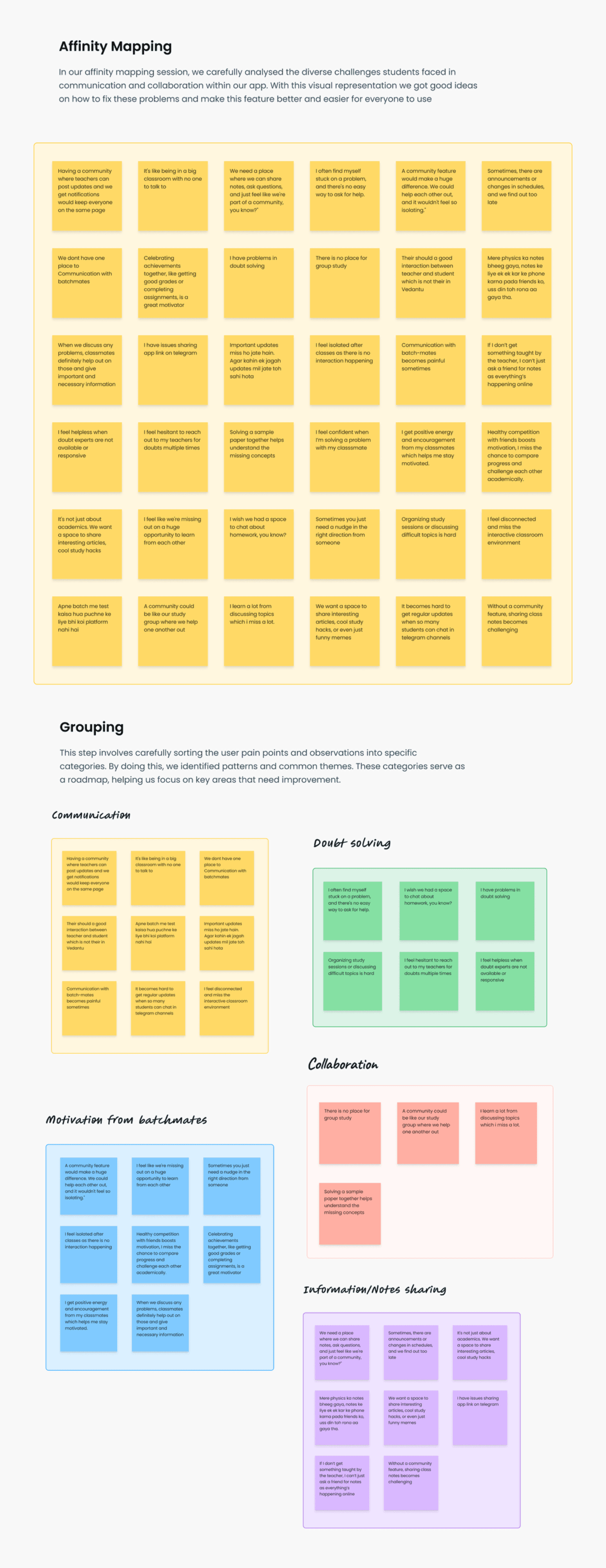
Affinity Mapping
After collecting all the interview data, we carefully analyzed the diverse challenges students faced in communication and collaboration within our app. With this visual representation, we got good ideas on how to make products we made and should be better processed for everyone to use.
Grouping
The key themes identified during the user interviews were presented in specific categories, by doing this, our team members and partners were able to concentrate on a few themes, each focusing on key areas that need improvement.
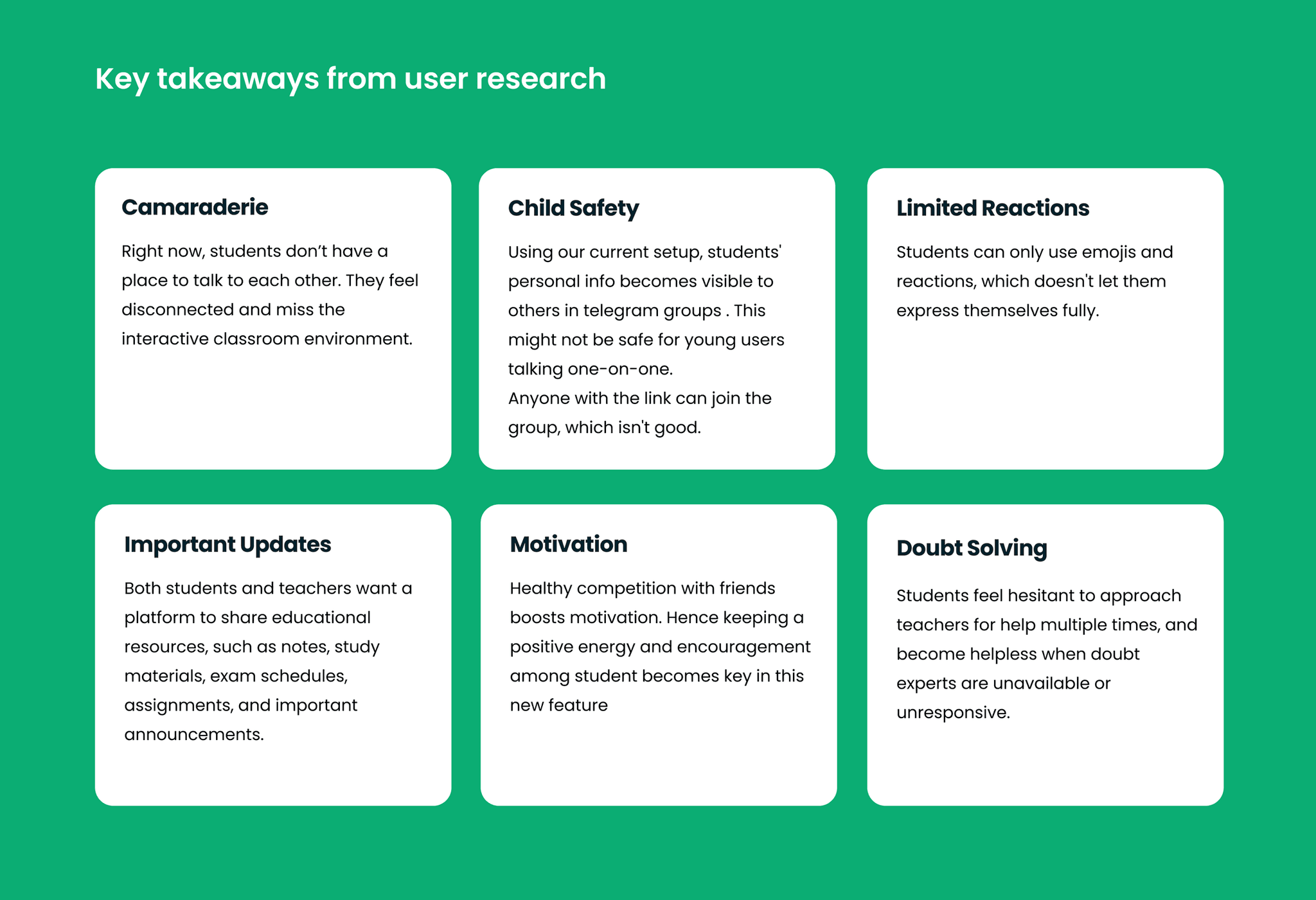
Key Takeaways from User Research
- Camaraderie: Right now, students don't have a place to talk to each other. They feel disconnected and miss the interactive classroom environment.
- Child Safety: Using our current setup, students' personal info becomes visible to others in telegram groups. This might not be safe for young users talking one-on-one. Anyone with the link can join the group, which isn't good.
- Limited Reactions: Students can only use emojis and reactions, which doesn't let them express themselves fully.
- Important Updates: Both students and teachers want a platform to share educational resources, such as notes, study materials, exam schedules, assignments, and important announcements.
- Motivation: Healthy competition with friends boosts motivation. Hence keeping a positive energy and encouragement among student becomes key in this new feature.
- Doubt Solving: Students feel hesitant to approach teachers for help multiple times, and become helpless when doubt experts are unavailable or unresponsive.
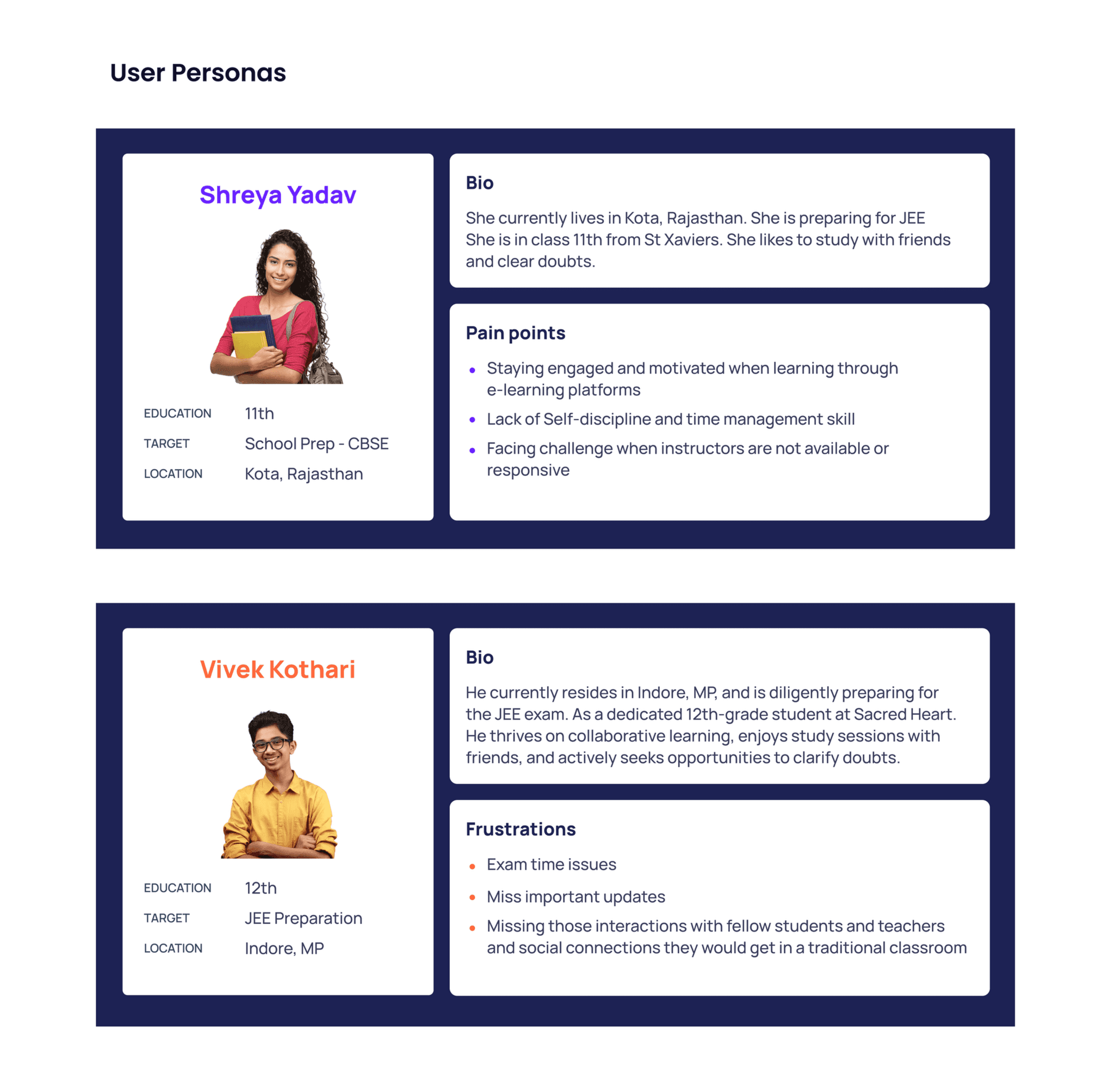
User Personas
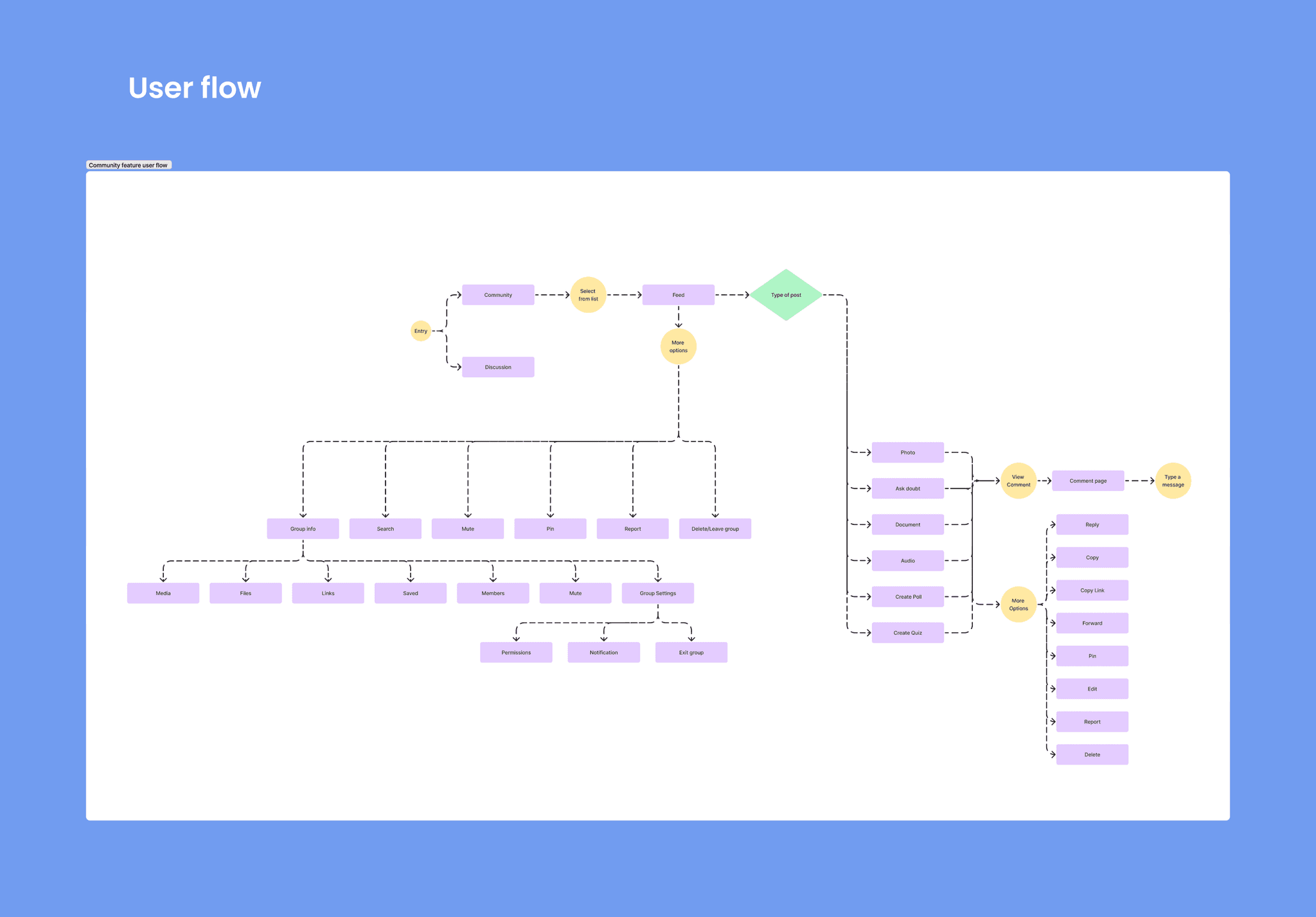
User Flow
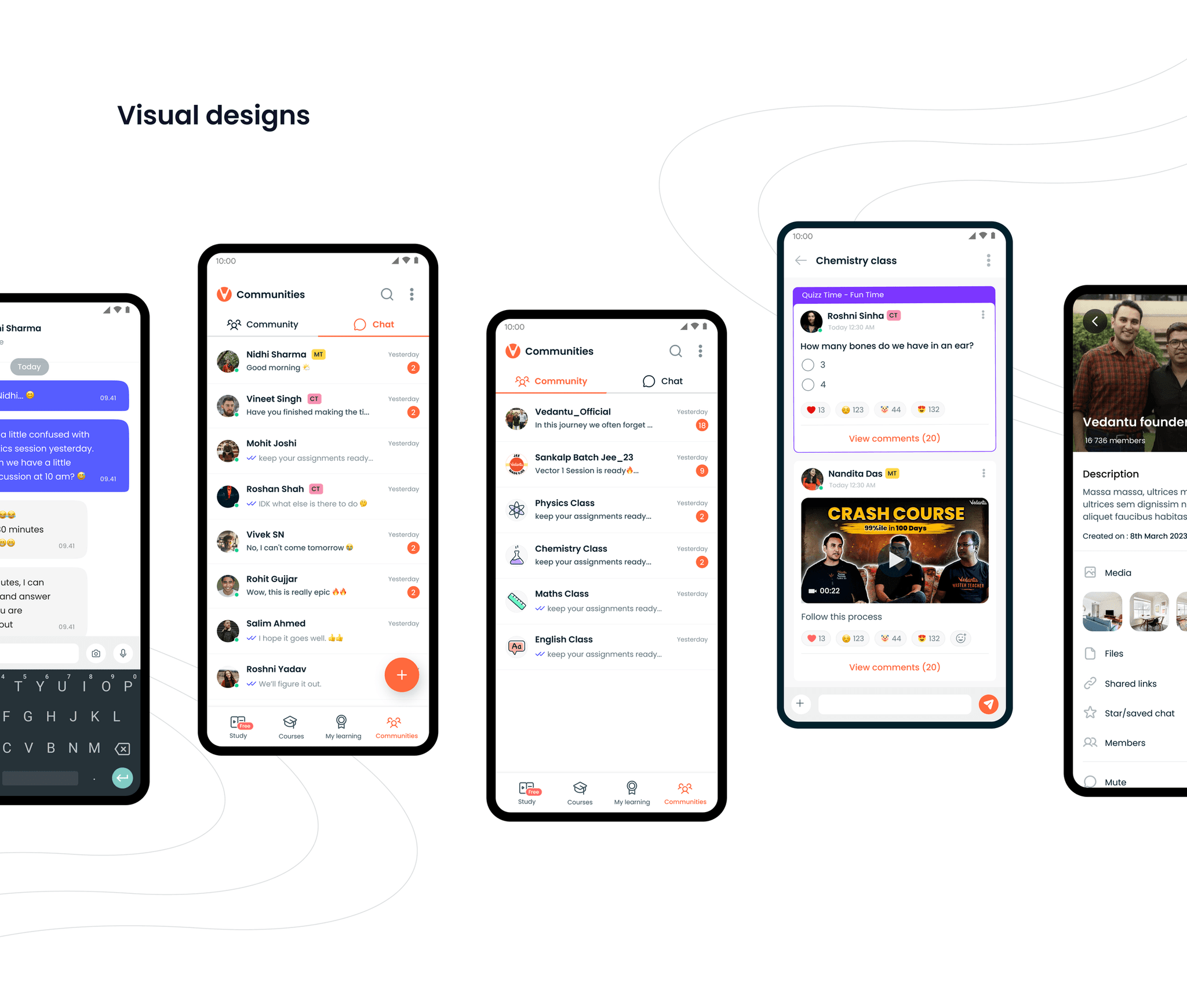
Visual Designs
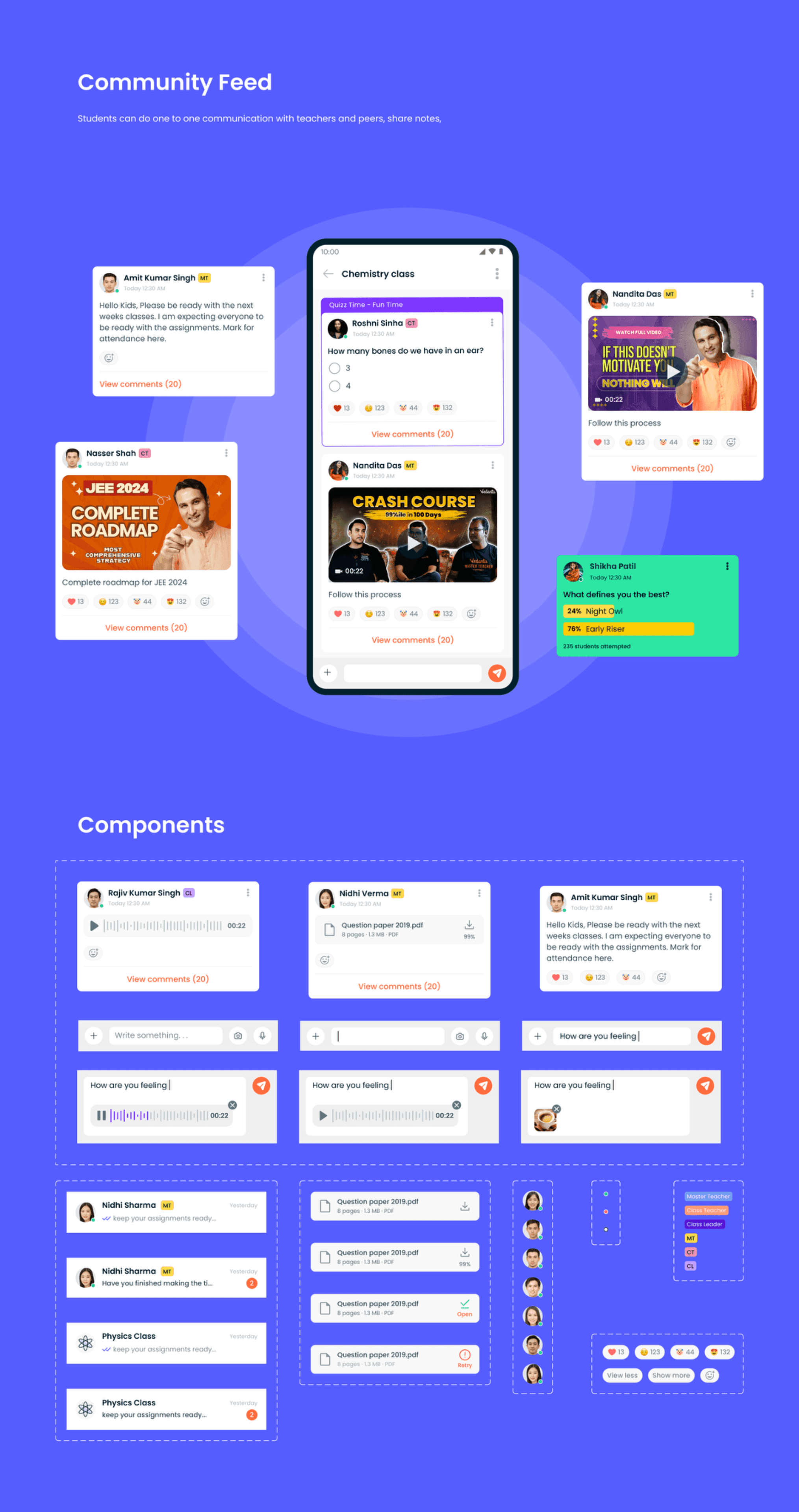
Community Feed
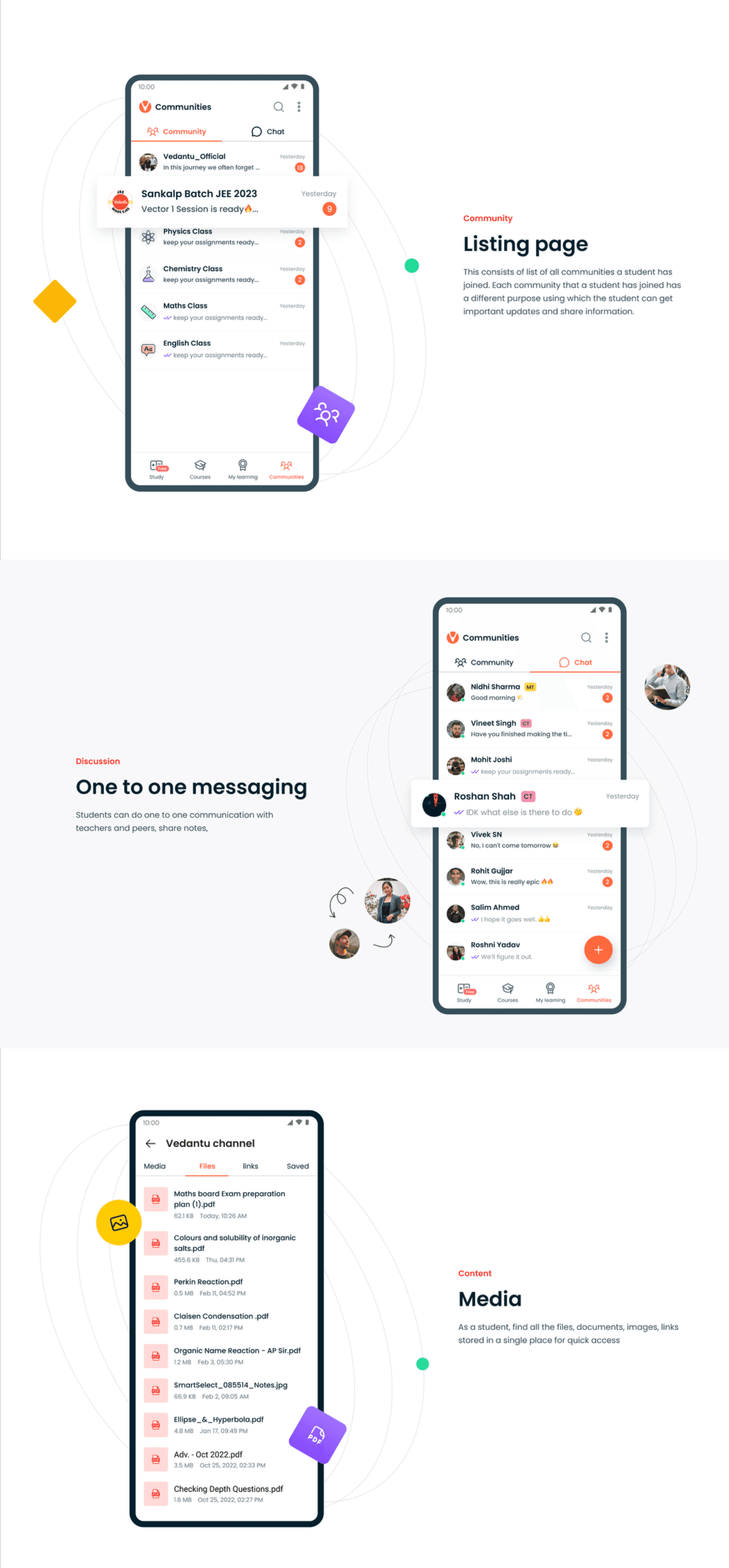
Students can do one to one communication with teachers and peers, share notes.
Listing Page
This consists of a list of all communities a student has joined, along with the total members in the community. It also has a different purpose listing which the student can get enrolled.
One to One Messaging
Students can do one to one communication with teachers and peers, share notes.
Media
All a student's list of files, documents, images, videos related to a specific channel.
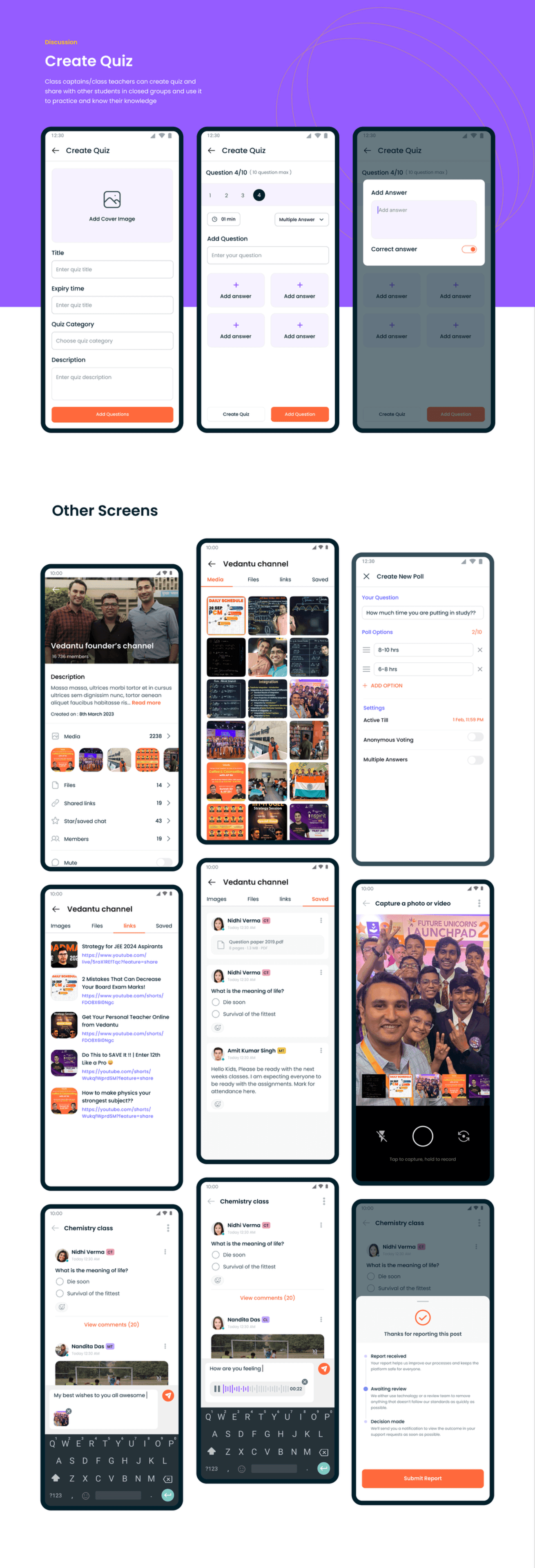
Create Quiz
Users can also create their own quizzes and share with other students in the community.
Impact
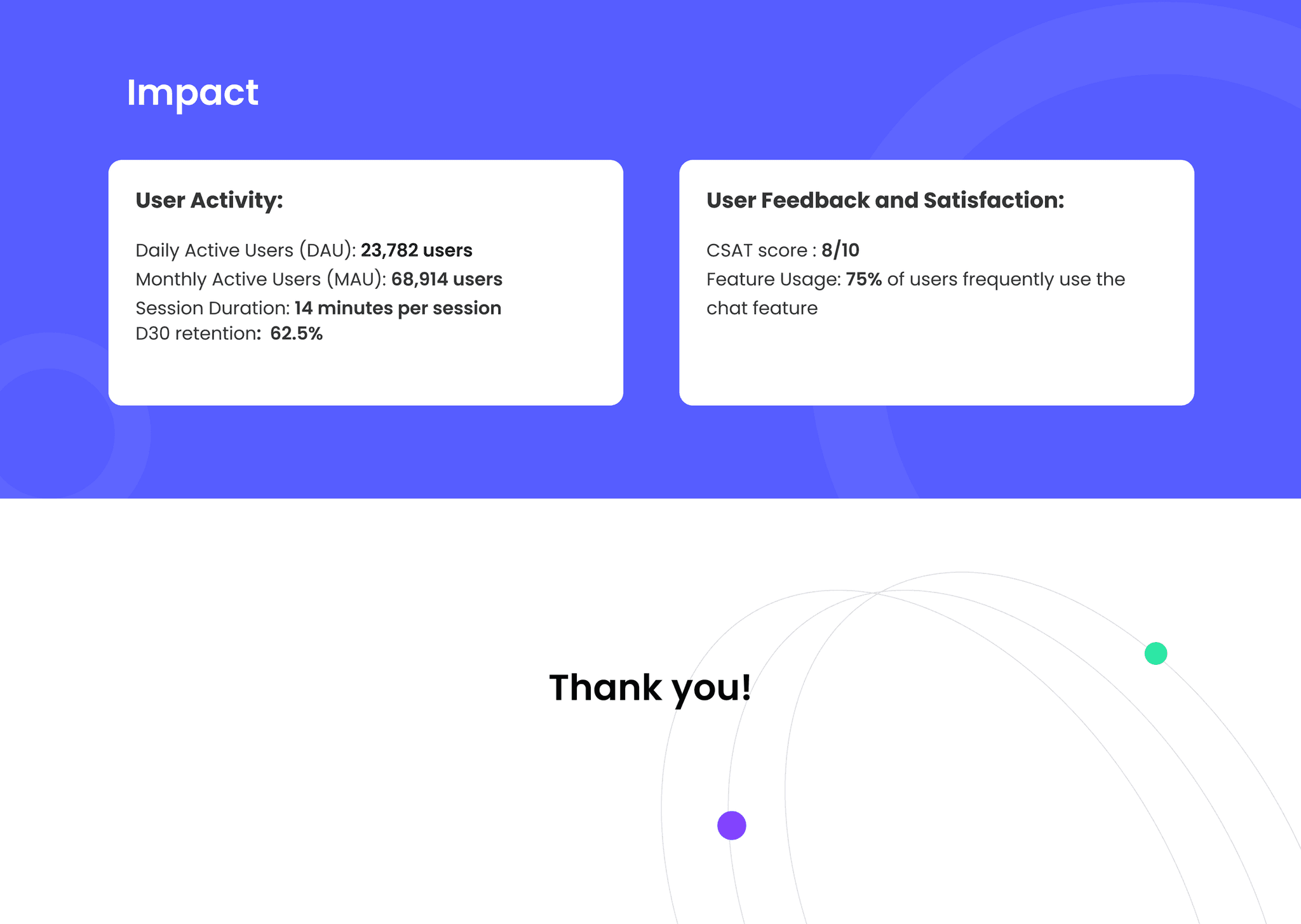
- User Activity: Daily Active Users (DAU): 23,782 users. Monthly Active Users (MAU): 68,914 users. Session Duration: 14 minutes per session. D30 retention: 62.5%
- User Feedback and Satisfaction: CSAT score: 8/10. Feature Usage: 75% of users frequently use the chat feature